23.5×23.5cm Craft EasyPress Pro for Sublimation & HTV Transfer

23.5×23.5cm Craft EasyPress Pro for Sublimation & HTV Transfer

$169.99
Skip to product information
23.5×23.5cm Craft EasyPress Pro for Sublimation & HTV Transfer

23.5×23.5cm Craft EasyPress Pro for Sublimation & HTV Transfer

$169.99
Taxes included. Shipping calculated at checkout.

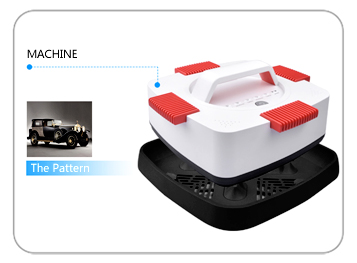
Comapre with Craft EasyPress 2, EasyPress 3 has the features of iron-on heat transfer projects and sublimation mug projects, a MugPress Mate is an additional order. Pro-level performance, home-friendly design. EasyPress 3 delivers fast, easy, pro-quality transfers on everything from baby bodysuits to big-time jerseys and banners. Besides the 4 decoration handles can be used to adding more even pressure, so it’s good for either heat transfer or sublimation projects. P.S. Please click Download as PDF to save brochure and read more.    

  • Style:Craft EasyPress for Mug & T-shirt
  • Features:Interchangeable
  • Platen Size:23.5 x 23.5cm
  • Dimension:29x29x15cm
 
Features: SAFTY FIRST : The press has a safe design that it will shut off automatically after 10 minutes of inactivity to prevent overheating and fire. When it going to shut off, you can hear beeps and see blue light flash, but you can press any keys to wake it up and continue to work. Easy to Apply Pressure : Traditional easy press machine has only a middle handle for you to apply pressure. But it is difficult to apply enough pressure evenly for women with little strength. The extra four pressing pads is helpful for them to apply pressure evenly and easily. Multifunction Easy Press : This is a heat transfer press and ironing machine, it is also a cup press machine if you connect our mugmate attachment(sell separately). It is economical to iron on shirts at home or doing a variety of transfer or sublimation work. LCD Intelligent Controller : The gray press have 2 modes in transfer t shirts and sublimate mugs. You can easily switch between 2 modes. And this press equipped with hidden protection temp in the mug transfer mode(you can buy our MugMate press). The mug press will keep the protection temp if you don't press timer key after put mug in the element. It can effectively prevent the heating element form burn out. Widely Applicability : Works with all types of HTV, heat transfer paper. You can easily transfer your designs onto shirts fabric bags, towels, Jigsaw Puzzles at home! Note: sublimation paper is not suitable for cotton fabric(> 30%), and you need to apply more pressure. If you have any question about our press machine, don't hesitate to contact us for support. We will try our best to provide a satisfactory solution for you.
Additional features
mini heat press

How To Use

mini heat press

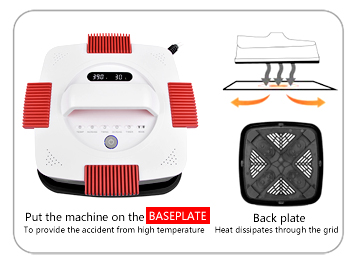
Thermal Insulation Base

mini heat press

Control Panel

   
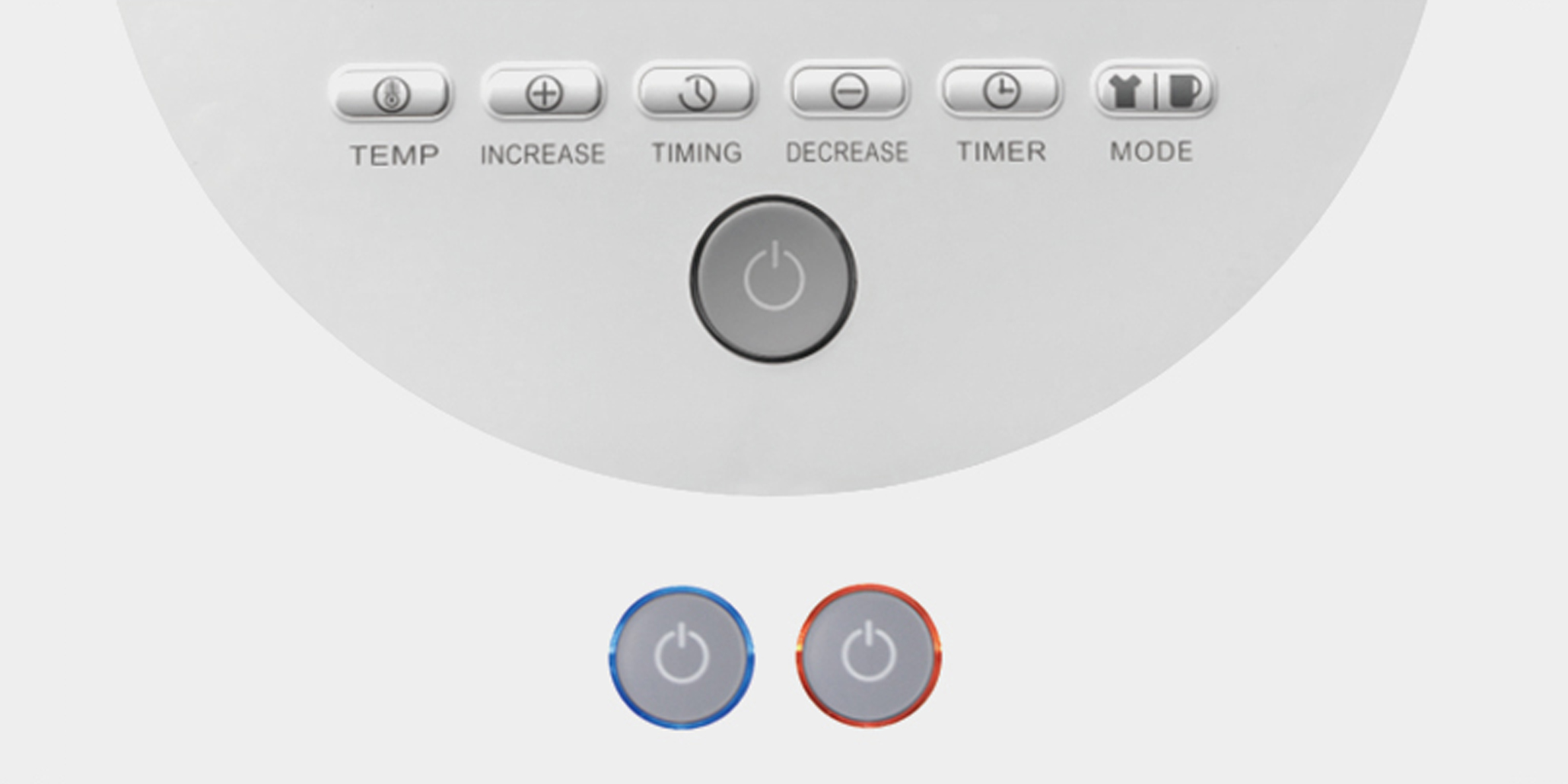
Specific Instructions For The Bottoms On The Dashboard
mini heat press
LIGIT INDICATOR SURROUNDS Power button: Orange light indicatess the Mug Press mode, Blue light indicates the Iron mode
mini heat press

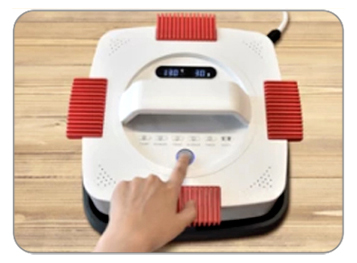
ON/OFF Button

1.To begin ironing transfer, press the button, and the machine will start working. 2.To end the ironing transfer, press the button again, and the machine will stop working.
mini heat press

Start TIMING

1.To begin ironing transfer, please press the TIMING button, and the time will begin to countdown. 2.Beeps indicates iron-on transfer is complete. 3.Press the TIMING button again to stop the sound.
mini heat press

TEMP Button

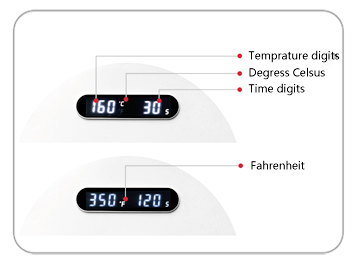
1.It is easy to set temperature.(2-8°C diviation). 2.To begin ironing transfer, press the TEMP button. 3.The temperature begin to flash, then adjust it by the "+" and "-" button on the right till the temp you desire. 4.After that, press the tempereture button again to confirm the set value. 5.To switch from Fahrenheit to Celsius, press and hold the TEMP button.
mini heat press

TIMER Button

1.It is easy to set time. 2.To begin ironing transfer, press the TIMER button. 3.The time indication begins to flash, and then adjust it by the "+" and "-" button on the left till the time you desire. 4.After that, press the TIMER button again to confirm the set value.
mini heat press

MODE

1.Hold to switch between Iron mode and Mug press mode.(Mug press is required)
EASY TO PRESS
mini heat press

1.Set Tempereture & Time

Start the press and set up your desired temperature and time. For the best results, use our setting guidelines.
cricut heat press

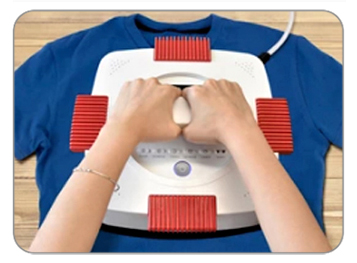
2.Apply Heat

Position your design onto your project piece, cover it with enclosed Teflon sheet, and place Artista on top of it.
cricut heat press

3.Enjoy Your Transfer

When the time is up, remove Artista press and, voila, enjoy your beautiful work!
Specifications:
Heat Press Style: Manual Motion Available: Portable Heat Platen Size: 23.5x23.5cm Voltage: 110V or 220V Power: 850W
Controller: LCD Controller Panel Max. Temperature: 390°F/200°C Timer Range: 300 Sec. Machine Dimensions: 29x29x15cm Machine Weight: 3.6kg Shipping Dimensions: 41x35x23cm Shipping Weight: 7.35kg
CE/RoHS compliant 1 Year entire warranty Lifetime technical support

CARE & MAINTENANCE

To maintain the beauty and integrity of your purchase, we recommend treating it with care. Simple maintenance practices, such as gentle washing and proper storage, can effectively preserve the longevity of your favorites. We encourage you to refer to the care instructions included with each item, designed to help you keep your purchase in top condition.

SHIPPING & RETURNS

We strive to process and ship all orders in a timely manner, working diligently to ensure that your items are on their way to you as soon as possible. Need to return something? Just let us know.

You may also like